
The short answer: to live stream a church service you need six things, in this order of importance: a dedicated audio mix, good light on faces, a camera, a switcher, an encoder and a wired internet connection. Most churches spend on the camera first and are disappointed, because the stream still sounds like a room.
This guide walks through each piece of equipment, what it does, and what we specify in the church streaming systems we design. A checklist is at the end.
In this guide
- The six parts of a church live stream
- 1. Audio: a dedicated broadcast mix
- 2. Lighting: faces first
- 3. Cameras
- 4. Switcher
- 5. Encoder
- 6. Network
- The booth: where one volunteer runs it all
- A starter setup for a small church
- A complete system for a growing church
- Common mistakes
- The equipment checklist
- Common questions
- Next steps
The six parts of a church live stream

A stream is a chain: sound and picture are captured, combined, compressed and sent to the internet. Every link matters, but they do not matter equally. People will watch a plain picture with clear sound. They will not stay for a beautiful picture they cannot hear. That is why the list starts with audio.
1. Audio: a dedicated broadcast mix
The mix that sounds right in the room is wrong for a phone speaker or headphones. In the room, the drums and the congregation are already loud, so the sound operator adds little of them. Online, they vanish.
A broadcast mix is a second mix built for the people watching at home. You need:
- A digital console with spare outputs and processing to run a separate mix alongside the house mix. On larger teams, a second console or a dedicated broadcast position.
- One or two microphones aimed at the congregation, so online viewers hear the room sing.
- A way to listen to the broadcast mix on headphones or small speakers, away from the room sound.
Two principles from our training on broadcast mixing: vocals always win, and the mix should be built from the individual inputs, not from the groups used for the room. Our guide to church livestream audio covers how to build the mix itself.
2. Lighting: faces first
A camera needs far more light than your eyes do. Even, flattering front light on the people on the platform does more for picture quality than a camera upgrade. Dark faces, deep shadows and bright colored backlight with no front light are lighting problems, and no camera fixes them. Our guide to lighting for churches explains how to light for both the room and the camera.
3. Cameras
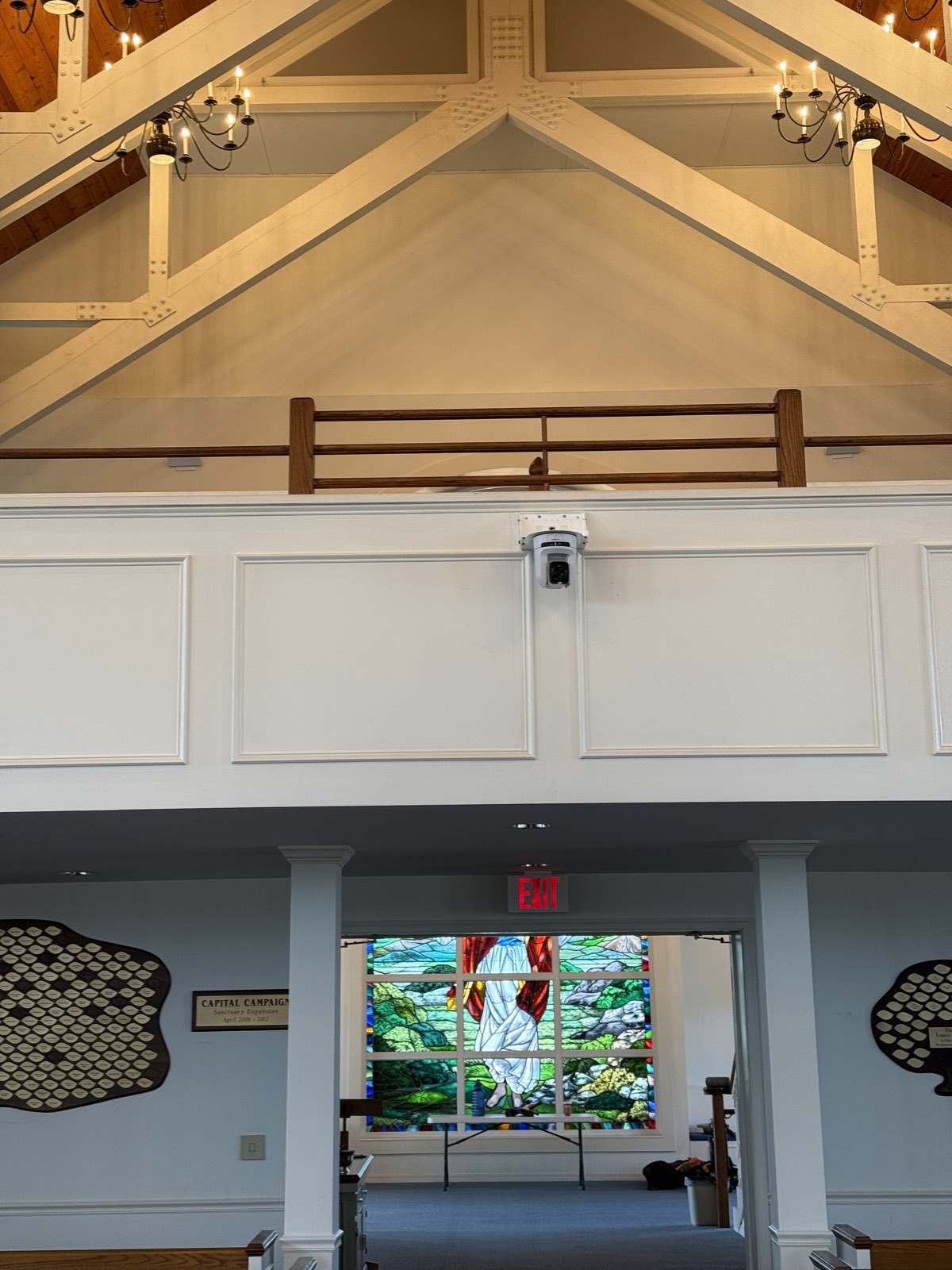
For most churches, a PTZ camera is the best first choice. PTZ stands for pan, tilt and zoom: one volunteer can move and frame it from the booth, with no operator standing behind it. One camera is enough to start. Two or three cover most services.
Place the first camera straight on to the pulpit at about eye height. On most projects we specify Canon CR-N series PTZ cameras, with PTZOptics for smaller rooms and budgets. Our guide to the best PTZ cameras for churches compares them.
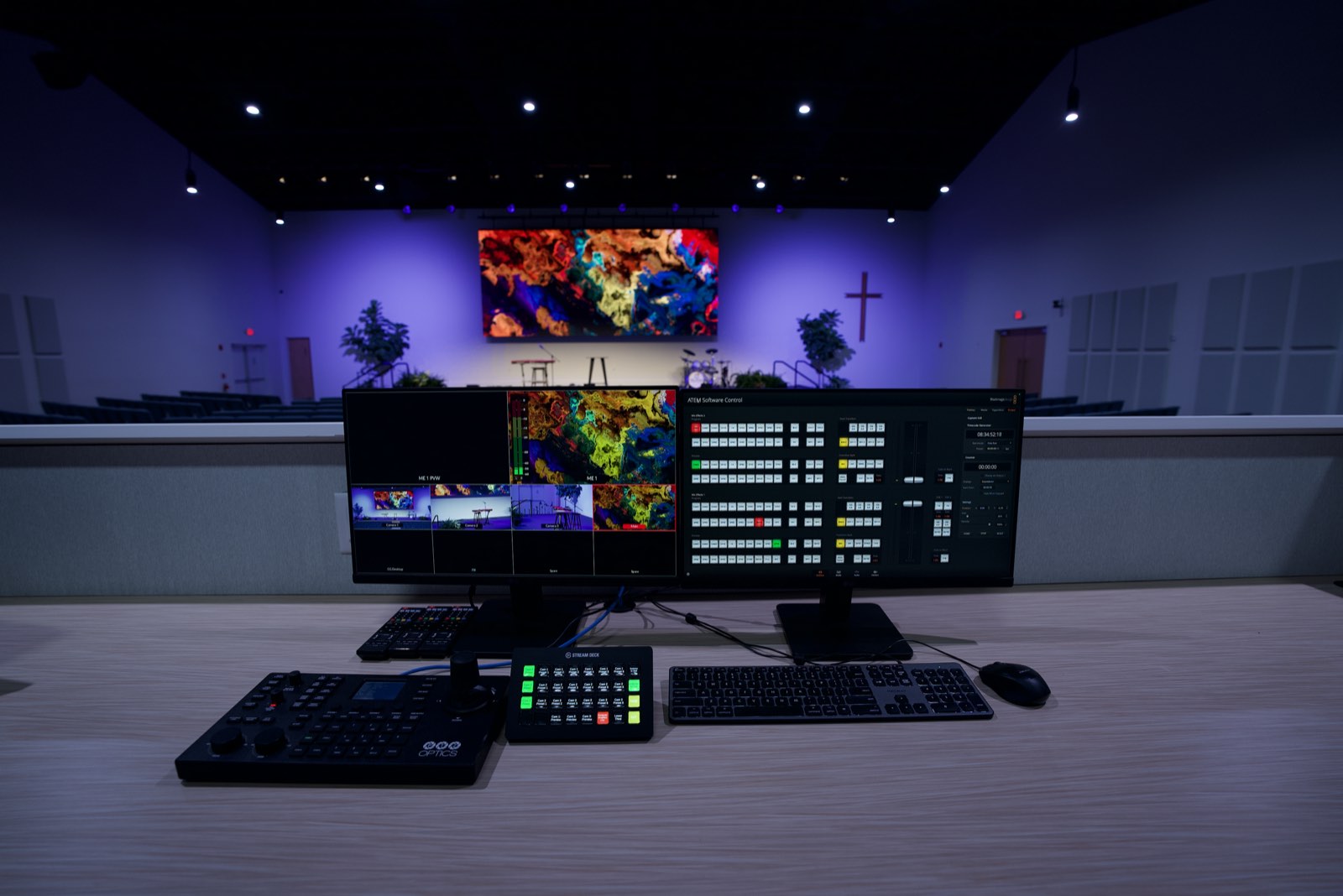
You will also need a way to control the cameras: a joystick controller, or a button panel such as an Elgato Stream Deck with saved shots your volunteers can recall with one press.
4. Switcher
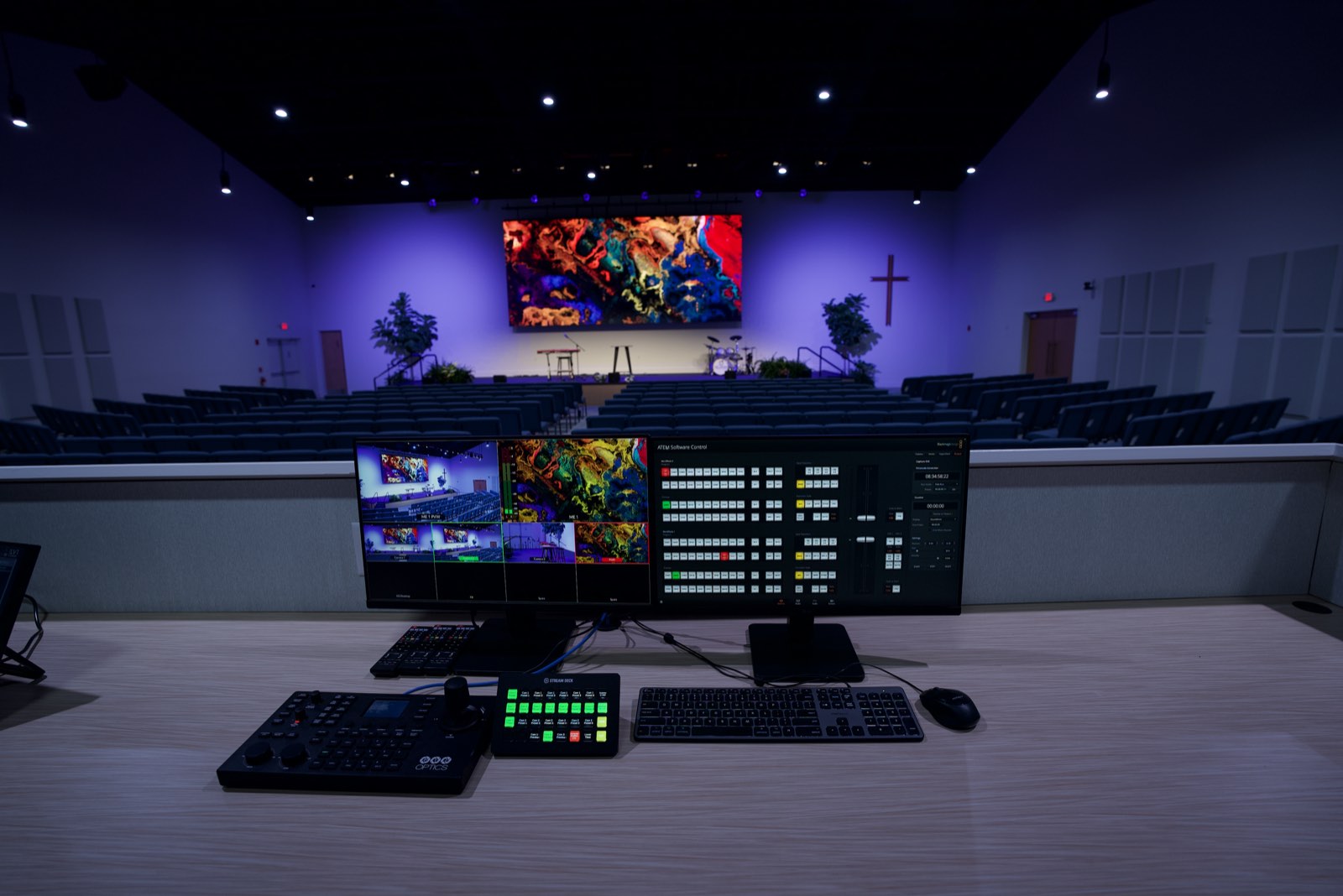
The switcher chooses which camera or graphic goes to the stream. A church with one camera can let presentation software do this job. As you add cameras, a hardware switcher gives volunteers physical buttons and a clear preview of what comes next. In the systems we design, that is usually a Blackmagic ATEM.
The switcher is also where song lyrics and scripture are laid over the camera picture, fed from your presentation computer.
5. Encoder
The encoder compresses the finished picture and sound and sends them to YouTube, Facebook or your streaming platform. It is the piece that decides whether your stream survives a weak internet connection.
We tested three common options on a deliberately poor network. The BoxCast Spark was the most reliable, because it lowers its quality to keep the stream alive instead of stopping. The full results are in our church streaming encoder test.
6. Network
Stream over a wired connection, never Wi-Fi. Wi-Fi is the most common cause of dropped streams. Test your upload speed during a real service, when the building is full of phones, not on a quiet Tuesday.
The booth: where one volunteer runs it all
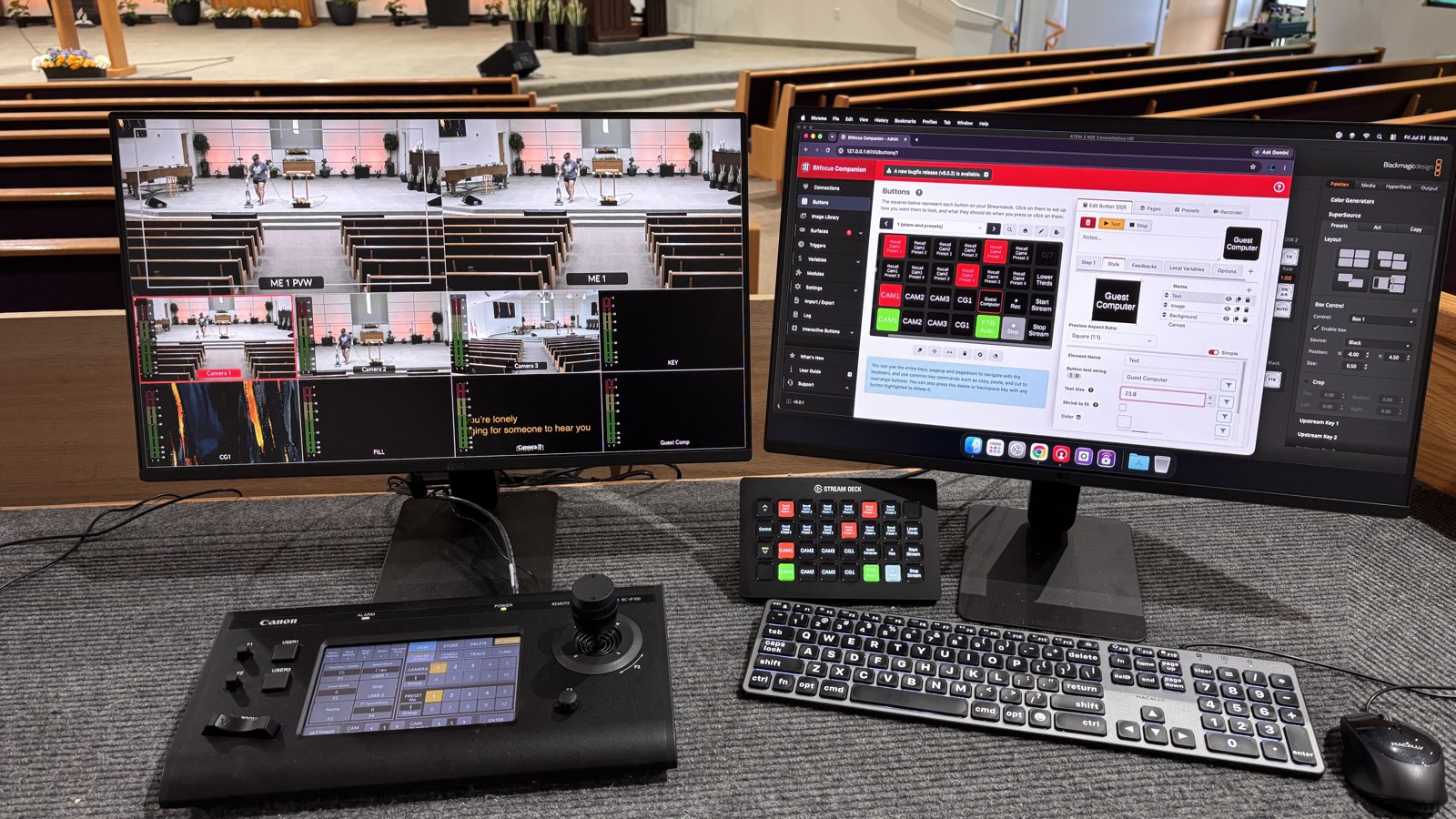
Equipment is only half of a streaming system. The other half is the position where a volunteer sits. On many Sundays one person runs cameras, switching and the stream, so the booth has to be laid out for that.
- A multiview monitor that shows every camera and what is live.
- Saved camera shots on labeled buttons, so a new volunteer can run a service on the first try.
- A clear view of the platform, or a monitor that shows it.
- Headphones on the broadcast mix.
- One simple start-of-service routine, written down.
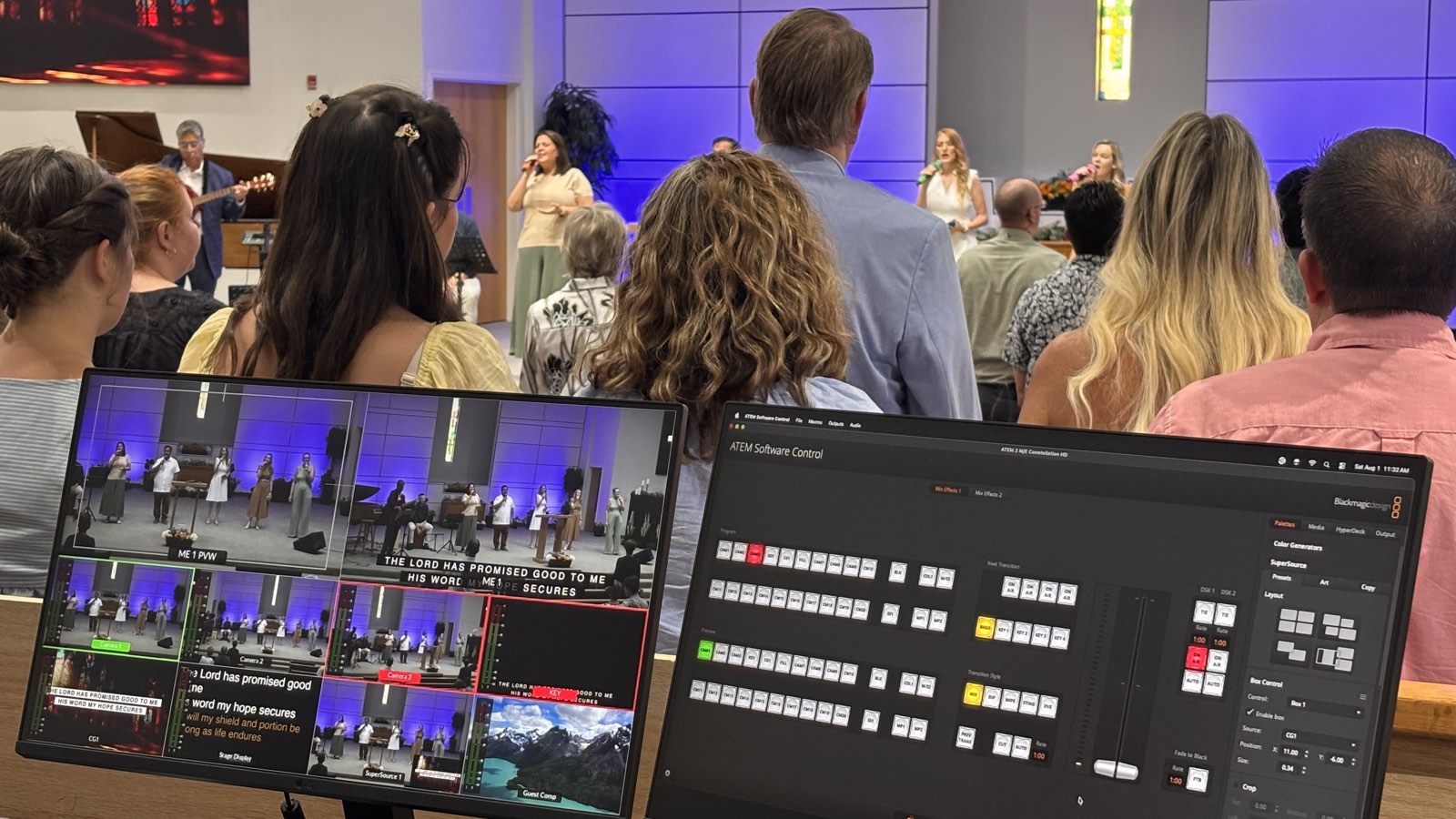
A starter setup for a small church
A small church can stream well with a short list: one PTZ camera, a dedicated broadcast mix from the console, good front light, wired internet, and either ProPresenter or a compact hardware switcher such as the Blackmagic ATEM Mini Pro. Our walkthrough of simple live streaming setups for small churches shows both versions.
A complete system for a growing church
As the online ministry grows, the same six parts scale up. A complete system we would design typically includes:
- Two to four Canon CR-N PTZ cameras with a Canon RC-IP controller.
- A Blackmagic ATEM Constellation switcher.
- An Elgato Stream Deck with saved shots and switching.
- A BoxCast Spark or Blackmagic Web Presenter encoder.
- A Blackmagic HyperDeck recorder for a clean copy of every service.
- A broadcast mix from an Allen & Heath console.
- Permanent cabling, a dedicated network connection and a booth laid out for one operator.
The equipment list matters less than how it is put together. We draw the whole signal path before anything is ordered.
Common mistakes
- Buying a camera to fix a sound problem. If viewers leave because they cannot hear, a sharper picture will not keep them.
- Sending the house mix to the stream. It was never built for headphones.
- Streaming over Wi-Fi. It works until the room fills up.
- Mixing camera models. Different models delay and color the picture differently, so cuts look uneven.
- No recording. A local recording protects you when the internet fails.
- A setup only one person understands. If your stream depends on one volunteer, it stops when they are away.
The equipment checklist
- Audio: broadcast mix output from the console, congregation microphones, headphones for monitoring.
- Lighting: even front light on everyone who speaks or leads.
- Cameras: one to three PTZ cameras, mounts, and a controller or button panel.
- Switcher: presentation software for one camera, or a hardware switcher for more.
- Graphics: a presentation computer that sends lyrics and scripture to the switcher.
- Encoder: a hardware encoder, or software on a dedicated computer.
- Recording: a recorder for a clean copy of each service.
- Network: a wired connection with tested upload speed.
- Cabling and power: video cable or network cable to each camera, installed permanently.
- The booth: a multiview monitor, labeled controls and a written routine.
- People: training, so one volunteer can run it on a thin Sunday.
Common questions
What equipment is needed to live stream a church service?
A dedicated audio mix for the stream, good front light, at least one camera, a switcher or presentation software, an encoder and a wired internet connection. Audio and lighting come first, because they affect what viewers experience more than the camera does.
How many cameras does a church need to live stream?
One is enough for a small church. Two or three cover most services: a wide shot, a close shot of the speaker and a shot of the worship team.
Can we live stream a church service with a phone?
You can, and it is a fair way to begin. The limit is sound. A phone hears the room, so speech is distant and music is muddy. Feeding a proper audio mix into the stream is the first upgrade worth making.
Do we need a separate sound mix for the livestream?
Yes, if you want the stream to sound good. The house mix is built for people in the room and leaves out much of what online viewers need to hear.
What internet speed does a church need for live streaming?
Stability matters more than the headline number. Use a wired connection, measure your upload speed during a real service, and choose an encoder that keeps going when the connection dips.
What is the best encoder for church live streaming?
In our testing on a weak network, the BoxCast Spark was the most reliable because it lowers its bitrate instead of stopping. The right choice also depends on your network, where people watch and who runs the stream.
Next steps
Watch last Sunday's stream on a phone with the sound on. Note what you cannot hear and who you cannot see. That list tells you which part of the chain to fix first.
When you are ready for help, see how we design church live streaming and video systems, or start with a pre-design visit.