
The short answer: the best encoder for church live streaming is the one that keeps your stream alive when your internet connection is not perfect. In our January 2025 side-by-side test on a weak network, the BoxCast Spark kept streaming by lowering its bitrate, the Resi Mini delivered excellent picture quality until it hit a buffer wall and stopped, and streaming straight from ProPresenter stuttered first.
That result matters because most church streams do not fail on a quiet Tuesday. They fail on Easter, when the building Wi-Fi is full of phones and the upload is shared with everything else on campus. This guide explains what an encoder does, what we tested, and how to choose one for your church.
In this guide
- What a streaming encoder actually does
- What we tested
- What the results mean for your church
- How to choose an encoder for your church
- What we specify in church streaming systems
- Common questions
- Planning a complete streaming system
What a streaming encoder actually does
An encoder takes the video from your switcher or camera and the audio from your broadcast mix, compresses them into a stream small enough to send over the internet, and delivers that stream to YouTube, Facebook, your website or a streaming platform.
There are three common approaches in churches:
- Software encoding. ProPresenter, OBS or vMix stream directly from a computer. It costs little extra, but the computer is doing several jobs at once and there is little buffer when the network hiccups.
- Switcher-based encoding. Switchers like the Blackmagic ATEM Mini Pro can stream directly. Simple and affordable, with the same limited resilience.
- Dedicated hardware encoders with a streaming platform. Devices like BoxCast and Resi are built to do one job, and they pair with a cloud platform that handles delivery, the church website player and archives.
What we tested
We put three popular church streaming options side by side: ProPresenter streaming directly to YouTube, the Resi Mini and the BoxCast Spark. Then we made the network worse on purpose, because that is what reveals the difference between encoders.
Test 1: all three at once on a constrained network
We limited the connection to 6 Mbps while each encoder tried to stream at 4 Mbps. That is more than the connection could carry, which is exactly what happens on a busy Sunday.
- ProPresenter stuttered and paused almost immediately. Streaming directly to a platform leaves very little buffer to absorb a problem.
- Resi Mini was stable at first, then eventually hit a buffer wall and stopped streaming.
- BoxCast Spark automatically dropped its bitrate below 1 Mbps and kept going, with acceptable picture quality.
Test 2: each encoder on its own, with bandwidth limits and packet loss
Tested one at a time, the pattern held. ProPresenter struggled with both bandwidth limits and packet loss. The Resi Mini produced excellent video but tended to buffer until conditions improved. The BoxCast Spark adapted: during a 10 percent packet loss test it kept streaming by reducing its bandwidth to around 500 Kbps, far below its 4 Mbps target.
Part of the reason is HEVC (H.265) encoding, a newer compression standard that delivers good picture quality at lower bitrates. Combined with adaptive bitrate, it lets the stream get softer instead of stopping.
What the results mean for your church
Picture quality is easy to judge in a demo. Reliability only shows up when something goes wrong. For most churches, a stream that gets slightly softer for thirty seconds is far better than a stream that freezes and loses the people watching at home.
- Direct streaming from ProPresenter or a switcher is simple and inexpensive, and it can be the right starting point for a small church with a strong, dedicated connection.
- Hardware encoders that prioritize picture quality look excellent on a clean network, but may need a very reliable connection to stay up.
- Adaptive encoders like BoxCast offer the best combination of quality and reliability when the network is not perfect, which describes most church buildings.
How to choose an encoder for your church
The encoder is one link in a chain. Before you choose one, answer these questions:
What does your network look like?
Test your upload speed during a Sunday service, not on a weekday. The stream should have a wired connection, ideally on its own network or with bandwidth reserved for it. No encoder can make up for a stream running over congested Wi-Fi.
Where do people watch?
If most of your online congregation watches on YouTube or Facebook, direct streaming is simpler. If you want a player on your own website, archives, and simulcasting without extra work, a streaming platform like BoxCast or Resi earns its subscription.
Who starts the stream?
If a volunteer has to remember eight steps, the stream will eventually not start. Dedicated encoders can be scheduled to start and stop on their own, which removes the most common Sunday failure.
What feeds it?
An encoder can only send what it receives. Poor front light, a single wide shot or a stream fed from the house mix will look and sound poor on any encoder. A dedicated broadcast mix and good lighting improve a stream more than any encoder upgrade.
What we specify in church streaming systems
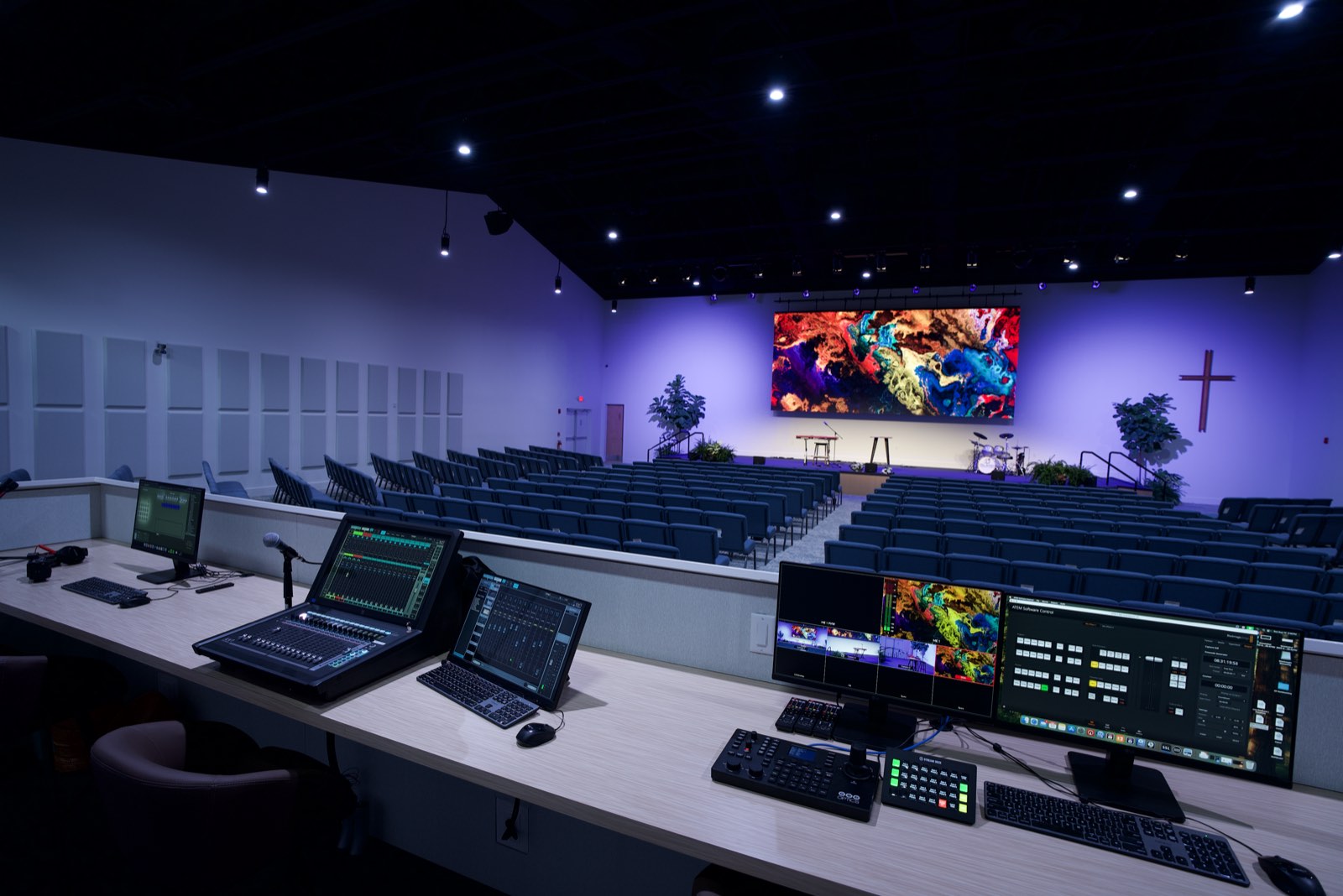
We choose the encoder alongside the switcher, the network and the platform your church uses. Across our projects, a few choices come up again and again:
- Encoders: Blackmagic Web Presenter and Streaming Encoder when a church has a dedicated wired connection and streams to YouTube or Facebook, and the BoxCast Spark SDI when a church wants a managed platform with adaptive streaming, a website player and archives.
- Switching: Blackmagic ATEM Constellation production switchers, with multiview so one volunteer can cut a service.
- Cameras: Canon CR-N PTZ cameras on most projects, with PTZOptics for smaller rooms and budgets.
- Camera and production control: Canon RC-IP controllers and Elgato Stream Deck.
- Recording: Blackmagic HyperDeck.
- Broadcast audio: a dedicated broadcast mix, usually from an Allen & Heath console.
The brand matters less than the system around it. A reliable encoder on a well-planned network, fed by a good broadcast mix and good light, is what makes a church stream people stay with to the end.
Common questions
What is the best encoder for church live streaming?
In our testing, the BoxCast Spark was the most reliable on a weak network because it lowers its bitrate instead of stopping. The right choice for your church also depends on your network, where people watch and who runs the stream.
Can we just stream from ProPresenter?
Yes, and it is a reasonable starting point for a small church with a strong, wired connection. It has less resilience when the network struggles, so it is worth moving to a dedicated encoder as your online ministry grows.
Is BoxCast or Resi better for churches?
Both are strong platforms. In our weak-network test, BoxCast adapted and kept streaming while the Resi Mini buffered and stopped. Resi delivered excellent picture quality when the network was healthy. Your network and workflow should decide.
How much upload speed does a church stream need?
Plan for comfortably more upload than your stream’s bitrate, measured during a real service. A wired connection with bandwidth reserved for the stream matters more than the headline speed on your internet bill.
Why does our livestream keep buffering or dropping?
Usually the network: shared or wireless connections, not enough upload, or congestion during services. An adaptive encoder helps, but the lasting fix is a wired, dedicated path for the stream.
Planning a complete streaming system
If you are just starting out, our guide to simple, budget-friendly live streaming setups for small churches walks through the first steps. When your church is ready to plan cameras, switching, a broadcast mix and encoding together, see how we design and install church live streaming and video systems, or start with a pre-design visit.