
The short answer: for most churches, the best wireless microphone system is a current Shure digital system, SLX-D or ULX-D, installed with proper antenna distribution and coordinated frequencies. The antennas and the frequency plan matter as much as the microphones. Most dropouts come from those, not from the mic in the pastor's hand.
This guide explains how to choose wireless microphones for your church, what causes the dropouts and static that frustrate so many teams, and what we install on our projects.
In this guide
- Start with how many channels you need
- What a complete wireless system includes
- What to look for in a church wireless system
- Why wireless mics drop out
- What we specify
- In-ear monitors share the same airspace
- Batteries and Sunday morning
- Common mistakes
- Common questions
- Next steps
Start with how many channels you need
Every wireless microphone and every wireless in-ear pack is one channel. Before comparing brands, count:
- Who speaks, and whether they prefer a headset or a handheld.
- How many vocalists use wireless handhelds.
- How many musicians use wireless in-ear monitors.
- What you will add in the next few years: a second service style, a youth room, special events.
The channel count decides which product line fits and how much antenna infrastructure you need. Four channels in a small room is a simple job. Twelve microphones plus in-ears is a small radio system, and it has to be planned as one.
What a complete wireless system includes
The microphone is the part people hold. A dependable system has more pieces behind it:
- Transmitters: the handheld microphones and the bodypacks worn with a headset or lapel microphone.
- Receivers: one channel per microphone, usually in multi-channel units mounted in a rack.
- Remote antennas: mounted in the room with a clear view of the platform.
- Antenna distribution: one unit that feeds every receiver from a single pair of antennas.
- In-ear transmitters and a combiner, if your musicians use wireless in-ear monitors.
- Charging and storage: a place each microphone lives and charges between services.
- A frequency plan: every channel coordinated for your address.
What to look for in a church wireless system
A legal, current frequency band
Parts of the spectrum that older wireless microphones used have been reassigned to cell carriers. Operating in those bands is prohibited and can lead to fines, and the interference is severe. If your system is more than several years old, check which band it uses before anything else.
Room to coordinate
Wireless channels have to be assigned so they do not interfere with each other or with local television stations. Good systems scan the room and work with coordination software. Shure's Wireless Frequency Finder shows which channels are open at your address, and Shure Wireless Workbench coordinates a whole system at once.
Proper antennas
The small antennas on the back of a receiver in a closed rack are the weakest point of most church systems. Remote antennas placed with a clear line of sight to the platform, feeding all the receivers through an antenna distribution unit, solve most reliability problems.
Headsets and handhelds people will actually use
A pastor who dislikes the headset will hold it wrong or leave it off. Let the people who preach and sing try the options. Comfort and consistency matter more than a specification.
Room to grow
Choose infrastructure that accepts more channels later. Adding receivers to an existing antenna system is simple. Starting over is not.
Why wireless mics drop out

When a church tells us about dropouts, the cause is usually one of these:
- An older system with mismatched or outdated antennas.
- Receivers buried in a rack, far from the platform, with no remote antennas.
- Frequencies that were never coordinated, so channels step on each other.
- A crowded local spectrum, which is more common every year.
- Equipment operating in a band it should no longer use.
That is why our advice is: do not just buy new microphones. New microphones on the same antennas, with the same frequency plan, often have the same problem. We walk through a real fix in wireless mic dropouts and fuzzy in-ears: what we install to fix them, and the basics of radio frequency in our RF wireless 101 guide.
What we specify
Shure SLX-D and ULX-D microphones
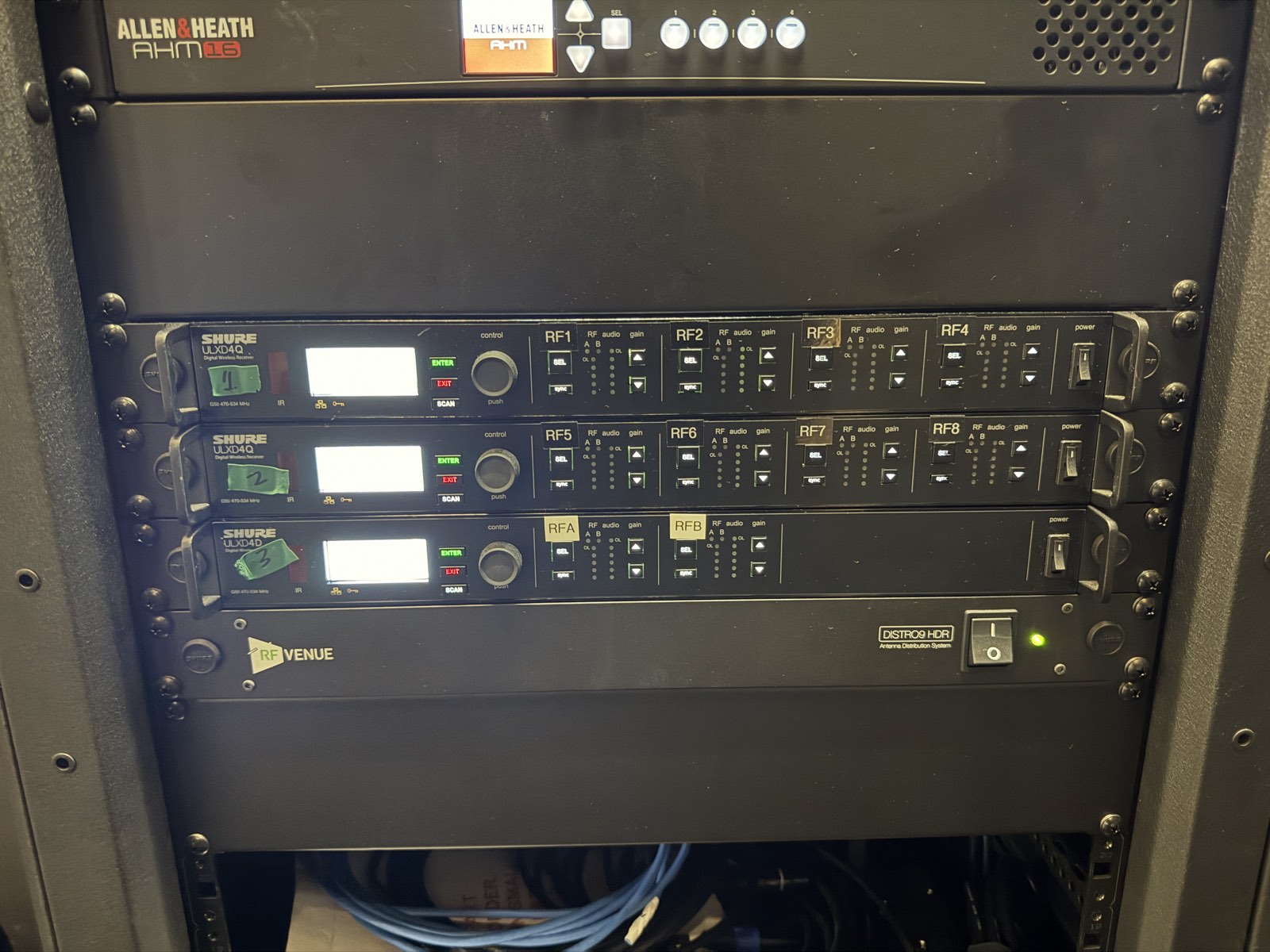
Shure SLX-D and ULX-D systems are our usual choice for wireless microphones. They are reliable, widely supported and familiar to volunteers, and they come in multi-channel receivers that keep a rack tidy. On one recent project, three four-channel Shure receivers gave the church twelve wireless channels, with room to add eight more on the same antenna infrastructure.
RF Venue antennas and distribution
RF Venue is our standard recommendation for antennas. Their architectural antennas mount on a wall and can be painted to match it, so they disappear into the room. An RF Venue Distro unit feeds every microphone receiver from one pair of antennas, and a Combine unit does the same job for in-ear transmitters.
Frequency coordination before the first Sunday
Our team scans the room and coordinates every channel during installation. Where the local spectrum is congested, we run an RF scan during the pre-design visit, so the system is designed around what is actually in the air at your address.
In-ear monitors share the same airspace
Wireless in-ear monitors transmit from the rack to the musicians, in the same spectrum your microphones use. They have to be coordinated together. Most of our designs move musicians to in-ear monitors, usually Shure PSM300, with Allen & Heath ME-1 personal mixers so each musician controls their own mix. A combiner sends all the in-ear transmitters through one antenna, which cleans up both the rack and the signal.
In-ears also lower the volume on the platform, which makes the room mix and the livestream clearer. Our guide to planning a church PA system explains why stage volume is often the hidden problem.
Batteries and Sunday morning
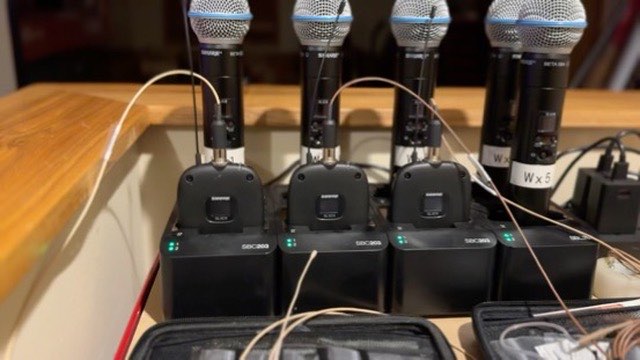
A dead battery mid-sermon is the most common wireless failure of all, and it has nothing to do with radio. Charging stations and a simple storage routine keep batteries from becoming a Sunday morning emergency. We build that routine into the handover: where each microphone lives, who puts it on charge and how a volunteer checks levels before the service.
Common mistakes
- Replacing microphones to fix an antenna problem. The dropouts usually stay.
- Leaving antennas on the receivers inside a closed rack. Metal doors and walls block the signal.
- Adding channels one at a time, from different product lines. Mixed systems are harder to coordinate.
- Never coordinating frequencies. Channels left on factory settings often clash.
- Treating in-ears as a separate system. They share the same airspace as the microphones.
- No charging routine. The best radio system still fails on a flat battery.
Common questions
What is the best wireless microphone system for a church?
For most churches, a current Shure digital system such as SLX-D or ULX-D, installed with remote antennas, antenna distribution and coordinated frequencies. The installation matters as much as the model.
Why do our wireless microphones keep cutting out?
Usually because of antennas and frequencies, not the microphones. Receivers hidden in a rack, uncoordinated channels, a crowded local spectrum or an outdated frequency band are the common causes.
How many wireless microphones does a church need?
Count everyone who speaks or sings on wireless in your largest service, then add room to grow. Many small churches run four channels. Larger teams with wireless in-ears often run twelve or more.
Is a headset or a handheld better for a pastor?
A headset keeps the microphone the same distance from the mouth, which gives the most consistent sound and leaves both hands free. A handheld suits pastors who dislike wearing one. The best choice is the one your pastor will use the same way every week.
Should we replace our wireless microphones or fix the antennas first?
Check the frequency band first. If your system operates in a band that is no longer permitted, it needs replacing. If the band is fine, proper antennas and coordination often solve the problem at a lower cost than new microphones.
Where should wireless microphone antennas go?
In the room, with a clear line of sight to the platform, not on the back of receivers inside a rack. One pair of remote antennas can feed every receiver through an antenna distribution unit.
Next steps
List every wireless microphone and in-ear pack you use, with its model and frequency band. Enter your church's address in Shure's Wireless Frequency Finder to see how crowded your area is. Those two steps tell you whether you have an equipment problem or an installation problem.
When you are ready for help, see how we approach church sound system design and installation, or start with a pre-design visit.